Building a Production-Ready Card Swiper Component: A Vue 3 & TypeScript Case Study

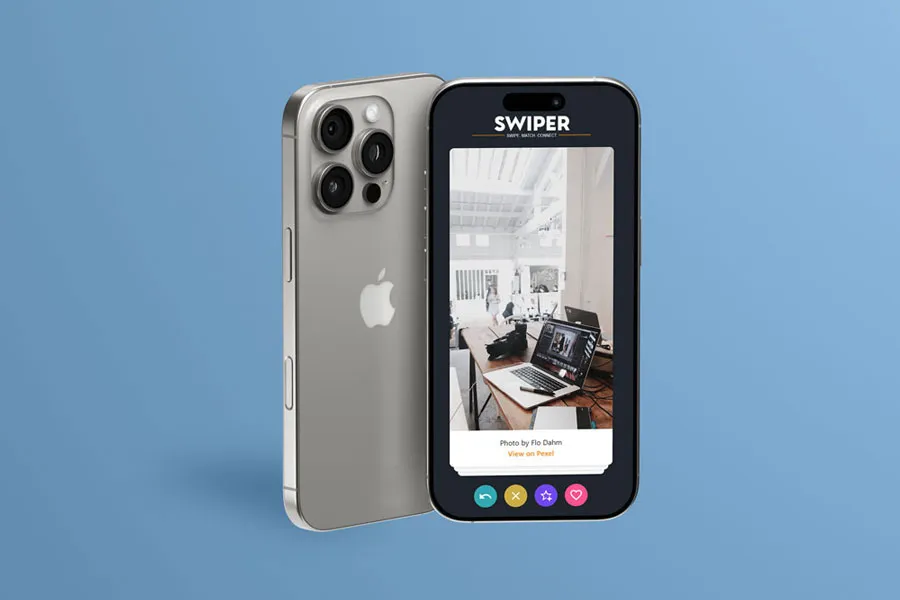
Mobile phone displaying Tallman Swiper app interface with a swipeable card showing a workspace photo and colorful action buttons at the bottom

Github Repo:

View

Demo:

View

01.The Challenge

At Betway Africa, a teammate was building a "swipe bet" feature—users swipe cards left or right to make betting decisions. The interaction needed to feel smooth, work on touch and desktop, and handle edge cases.

The initial attempts hit common issues:

  • Janky animations that didn't feel natural
  • Touch events conflicting with mouse events
  • Cards not stacking correctly
  • No way to undo actions
  • Accessibility gaps

Rather than debug line-by-line, I built a complete, reusable component as a reference. This let us see the full pattern, understand the decisions, and adapt it to the betting feature.

Black iPhone displaying the Tallman Swiper app interface with a workspace photo card and colorful action buttons at the bottom, resting on concrete
iPhone mockup displaying a card swiper interface with workspace photo and interaction buttons, demonstrating a Vue 3 swipe component implementation

02. The Solution

I built Tallman Swiper—a production-ready card swiper component that demonstrates how to build this interaction pattern correctly.

Architecture First

I used Vue 3's Composition API with a composable architecture. Each piece of functionality lives in its own module:

  • swiperCore.ts — Core swipe logic and decision handling
  • swiperTouchEvents.ts — Unified touch and mouse event handling
  • swiperTransitions.ts — Animation and transition management
  • swiperQueue.ts — Card queue management and diffing
  • swiperState.ts — Centralized state initialization

This separation makes the code easier to understand, test, and maintain. Each composable has a single responsibility.

The Multi-Input Problem

One challenge was supporting touch, mouse, and keyboard without conflicts. The solution was a unified event handler that normalizes inputs:

1const start = (e: TouchEvent | MouseEvent) => {
2 let pageX, pageY
3 if (e.type === 'touchstart') {
4 pageX = (e as TouchEvent).changedTouches[0].pageX
5 pageY = (e as TouchEvent).changedTouches[0].pageY
6 } else {
7 pageX = (e as MouseEvent).clientX
8 pageY = (e as MouseEvent).clientY
9 }
10 // ... unified handling
11}

This keeps the logic consistent across input methods.

Smooth Animations

Animations use CSS transforms with hardware acceleration and configurable easing. All magic numbers live in animationConstants.ts:

  • Fast animations (300ms) for manual swipes
  • Normal transitions (500ms) for standard actions
  • Slower animations (800ms) for programmatic actions like undo

The cubic-bezier easing function creates natural motion that feels responsive.

TypeScript Throughout

Everything is typed. No @ts-ignore comments. Types are centralized in types.ts, making the API clear and catching errors early.

03. Key Features

Multi-Input Support

  • Touch gestures on mobile
  • Mouse drag on desktop
  • Full keyboard navigation (arrow keys, Ctrl+Z for undo)

Flexible Swipe Actions

  • Left swipe (reject)
  • Right swipe (like)
  • Up swipe (super like)
  • Down swipe (optional)
  • Undo/rewind functionality

Accessibility

  • ARIA labels for screen readers
  • Keyboard navigation
  • Focus management
  • Semantic HTML

Performance

  • Hardware-accelerated transforms
  • Efficient state management with Vue reactivity
  • Proper cleanup to prevent memory leaks
  • Optimized event handling

04. Technical Highlights

Composable Architecture

The component uses Vue 3 composables, making logic reusable and testable. Each composable handles one concern, so you can understand and modify parts independently.

State Management

State is managed through Vue's reactivity system with computed properties for derived values. The state machine tracks:

  • Normal (idle)
  • Moving (user dragging)
  • Leaving (card animating out)
  • Rewinding (undo in progress)

This prevents race conditions and ensures smooth transitions.

Queue Management

Cards are managed in a queue that automatically refills when running low. The diffing algorithm efficiently updates the visible stack, minimizing DOM operations.

Animation System

Animations use CSS transforms (translate3drotate) for GPU acceleration. Transitions are configurable, and the system handles edge cases like rapid swipes and undo operations.

05. The Result

The component is:

  • Production-ready
  • Fully typed with TypeScript
  • Accessible
  • Performant
  • Well-documented
  • Easy to customize

It served as a reference for the swipe bet feature and can be adapted for other use cases.

06. Lessons Learned

  1. Build a complete example, not just snippets. It shows the full pattern and decisions.
  2. Separate concerns. Composables make code easier to understand and maintain.
  3. Type everything. TypeScript catches errors early and documents the API.
  4. Accessibility from the start. Keyboard navigation and ARIA labels are essential.
  5. Performance matters. Hardware acceleration and efficient state management keep interactions smooth.

07. Conclusion

This project shows how to build a complex, interactive component with Vue 3 and TypeScript. By focusing on architecture, type safety, and user experience, we created something that works well and is maintainable.

Whether you're building a swipe bet feature, a dating app interface, or any card-based interaction, the patterns here provide a solid foundation. The code is open source and available for reference.

If you're working on similar interactions, feel free to use this as a starting point. Sometimes the best way to help a teammate is to show them the complete picture, not just point out what's wrong.